Best TVs and Streaming Setups for Guests
This post contains affiliate links. If you buy through them, we may earn a commission at no extra cost to you. As an Amazon Associate we earn from qualifying purchases. Learn more.
How we researched this: this is a research roundup based on manufacturer specifications and published reviews. We have not tested these products hands-on, and we do not list prices or ratings. Check the linked sources and current listings before you buy.
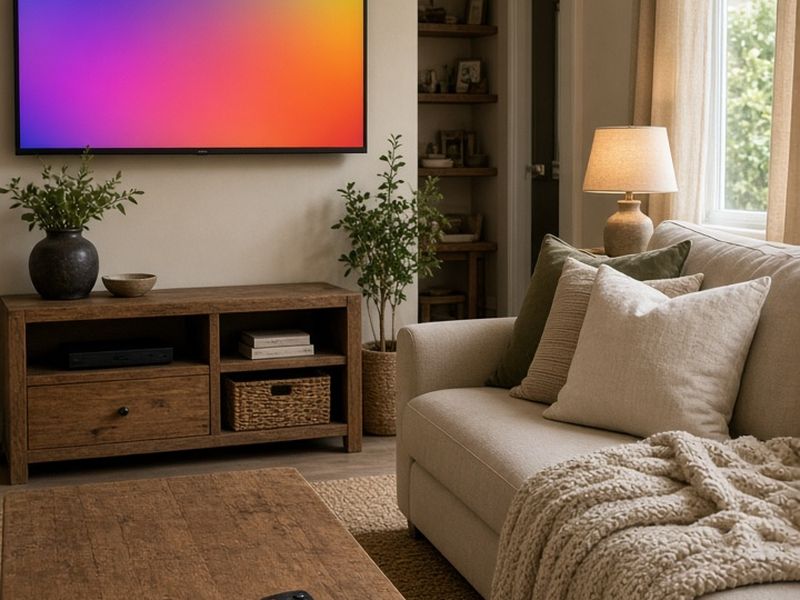
Guests rarely praise a TV in reviews, but they absolutely complain when it does not work. Confusing remotes, three different inputs, a smart TV that wants a software update and a streaming app logged in to the previous guest's account are common frustrations. A simple, reliable setup avoids all of it. This guide covers what to look for in a rental TV and summarizes which streaming devices published reviewers recommend. It is a research roundup based on manufacturer specifications and published reviews; we have not tested these products hands-on.
What guests actually want from a TV
Guests want the same thing in every rental: turn it on, find their favorite streaming app, sign in and watch. Everything else is noise.
- One remote, clearly labeled.
- One input, so the TV always starts on the streaming home screen.
- Fast, reliable Wi-Fi near the TV.
- A simple way to sign in to their own accounts and sign out at checkout.
- A screen size that suits the room and viewing distance.
Write a short TV guide with a photo of the remote and laminate it or put it in your digital guidebook. A two-line instruction prevents a surprising number of messages.
Choosing the TV itself
We have not verified specific TV models for this guide, so rather than name brands, here are the features to prioritize when you compare options.
- Size: measure viewing distance. A living room often suits a larger screen than a bedroom.
- 4K resolution is standard on most current TVs and future-proofs streaming.
- Multiple HDMI ports in case you add a streaming device or soundbar.
- A hotel or guest mode, if available, which can lock settings or set a default input. Some brands sell hospitality versions of their TVs for this purpose.
- Wall mounting, which protects the TV from being knocked over and frees up space.
Many hosts choose a basic TV and pair it with a separate streaming device. That way, if the TV's built-in software slows down or loses app support, a small, inexpensive streamer can be swapped without replacing the screen.
Roku Ultra and Roku Streaming Stick 4K
Business Insider names the Roku Ultra its best overall streaming device. Published specs describe 4K, HDR10+ and Dolby Vision support, Wi-Fi 6, an Ethernet port and a rechargeable remote. The Ethernet port is useful in rentals where the router sits near the TV, and the rechargeable remote removes one dead-battery complaint.
NBC Select names the Roku Streaming Stick 4K its best overall pick. As a stick that plugs directly into the TV, it is easy to hide and harder for guests to misplace. Roku's interface is often described as simple, which suits guests who are unfamiliar with your setup. See Roku Ultra options.
Fire TV Stick 4K Max, Google TV Streamer and Apple TV 4K
The Fire TV Stick 4K Max supports Wi-Fi 6E and Alexa voice control, according to published reviews. It may appeal if your property already uses Alexa devices.
The Google TV Streamer (4K) is described as supporting Wi-Fi 5 and doubling as a Google Home and Matter hub. That makes it a sensible choice if your rental's smart home devices run on Google Home.
The Apple TV 4K is also frequently recommended by reviewers, including Wirecutter, and is a good fit for hosts whose guests tend to use Apple devices. Whichever you choose, check how each one handles guest sign-ins and sign-outs before you commit. Compare Apple TV 4K listings.
Protecting guest privacy on shared TVs
Every guest signs in to their own streaming accounts, and many forget to sign out. Build sign-outs into your turnover routine.
- Ask your cleaner to sign out of streaming apps, or use a device with a guest or reset option.
- Use a separate host account on the streaming device that has no payment methods attached.
- Turn off purchases or require a PIN so guests cannot rent movies on your account.
- Clear casting and paired Bluetooth devices from the TV and soundbar.
This protects both the departing guest and your account from surprise charges.
Outdoor and backyard viewing
A TV under a covered pergola or gazebo can be a memorable amenity, especially for game days. Look for TVs designed for outdoor use, or keep an indoor TV under full cover and away from rain and direct sun. Run power and data through proper outdoor-rated outlets, and consider a weatherproof cover for when it is not in use.
Pair it with a weather-resistant speaker rather than a full sound system, and set clear quiet hours in your house rules to keep neighbors happy. See our gazebo and outdoor amenities posts for more backyard ideas.
Frequently asked questions
Should I use the TV's built-in apps? You can, but a separate streaming device is easier to replace and update. Many hosts use both.
What about cable? Many guests now expect streaming, but some properties in areas with older demographics or poor internet still offer cable or antenna channels.
Which streaming device is best for rentals? Published reviewers name the Roku Ultra and Roku Streaming Stick 4K among the best overall, while Fire TV and Google TV suit hosts in those ecosystems. Choose the one that best fits your smart home and makes sign-outs easy.
Shop the ideas
- Roku Ultra on Amazon
- Fire TV Stick 4K Max on Amazon
- Google TV Streamer (4K) on Amazon
- Roku Streaming Stick 4K on Amazon
- Apple TV 4K on Amazon
- 55-inch 4K TVs on Amazon
- Full-motion TV wall mounts on Amazon
- Universal remotes on Amazon
Links go to Amazon search results so you can compare current options, prices and reviews yourself.
Sources
Save this idea to Pinterest.
More Host Gear
- Noise and Occupancy Monitors for Rentals
- Smart Home Starter Kit for Hosts
- Outdoor Amenities That Help Your Rental Stand Out
Images: AI-generated illustrations created for The Backyard Gazebo.